In partnership with Student Super

Pays
Learn how to read your payslip so you know you’re being paid correctly.
Here’s an example:
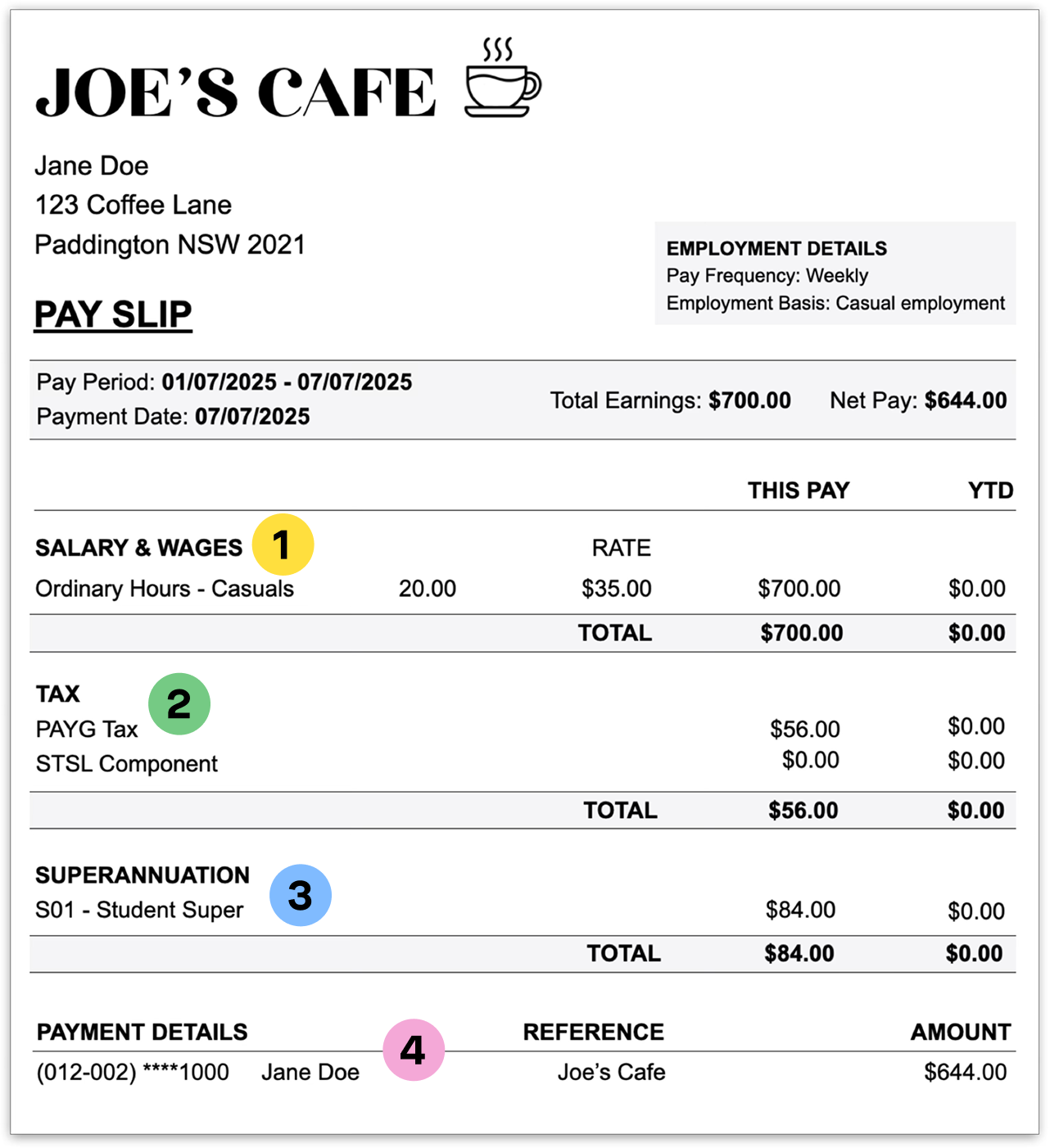

Wages
- Check your pay period is correct.
- Check your hours match what you worked.
- Check your hourly rate is correct.
- Check the total pay is correct Houx x Rate = Your Pay $.
- YTD just means "Year to Date" so what you have been paid in a financial year (July 1 - June 30).

Super
- Check the super fund is the one you nominated.
- Check if you should be receiving super in this month. You can use a super calculator here1.
- Super money is paid into your super account. Your boss has a quarterly deadline to do this. Dates are here2.
- Payslips DON'T show that your super is actually paid. Only logging into your super account will confirm payment.

Tax
- PAYG is "Pay As You Go". This is the tax your boss will take out of your wages to pay the tax office on your behalf.
- Your tax rate will be different depending on a number of factors. You can use a tax calculator from the ATO here3.

Your pay details
- Check that your bank details are correct.
- Check that your final pay amount is what you see in your bank account. It will be Gross Wages - Tax = Your Pay $.

It's ok to ask!
If you don’t understand your payslip… just speak to your boss or payroll officer.
Politely ask them to explain how they make the calculations.
- Super calculator https://moneysmart.gov.au/grow-your-super/employer-contributions-calculator
- Employer contributions https://studentsuper.com.au/employer-contributions
- Tax withheld calculator https://www.ato.gov.au/Calculators-and-tools/Tax-withheld-calculator